Scheduling
Understand how schedules become ideas, prompts, images, approvals, and posts.
Scheduling
Scheduling is the main automation flow in Marketing AI. A schedule tells the AI what to create, when to create it, which product it belongs to, and which channel it should use.
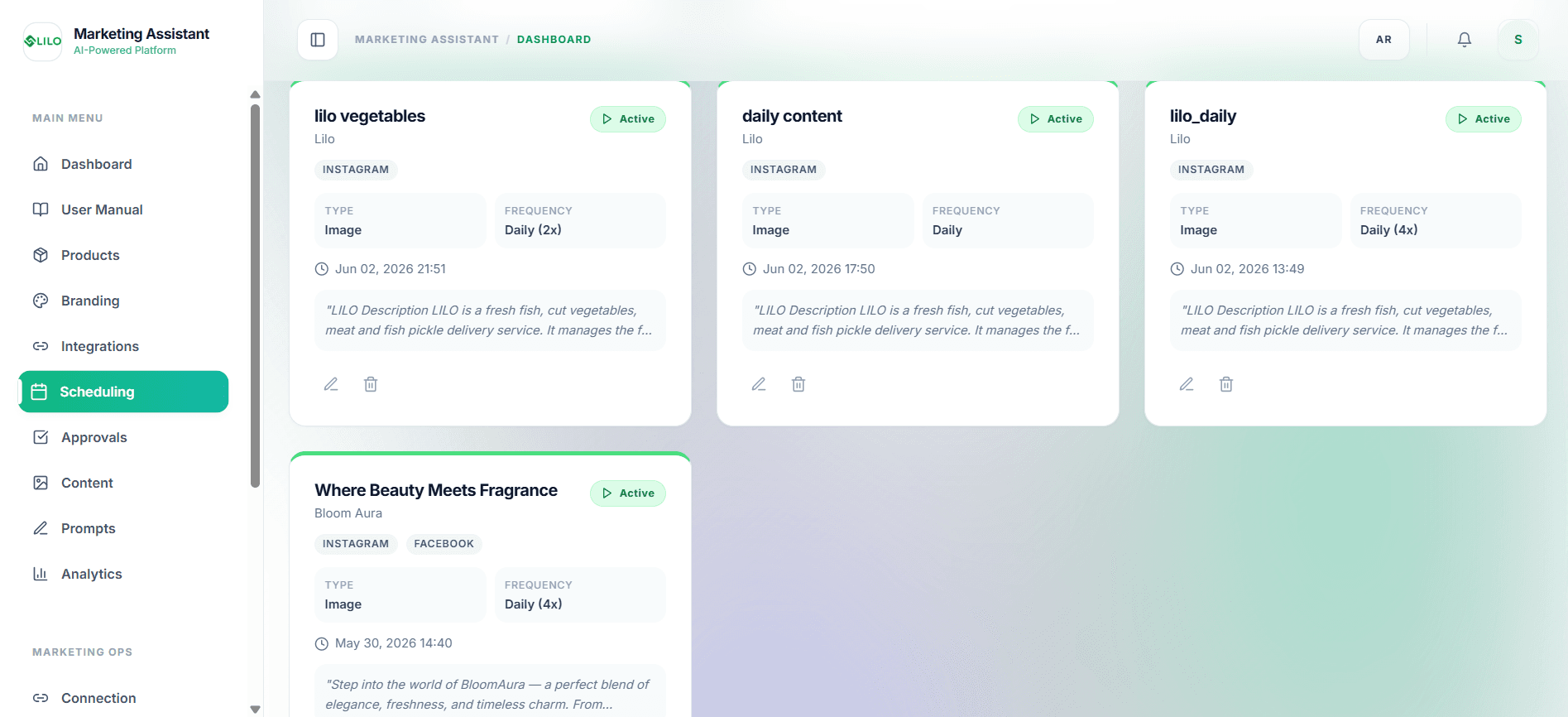
What users choose
A schedule can include:
| Field | Why it matters |
|---|---|
| Product | Provides product and brand context |
| Integration or channel | Decides where approved content can be posted |
| Format | Guides the creative output shape |
| Funnel stage | Aligns the message to awareness, consideration, or conversion |
| Language | Controls caption and content language |
| Frequency | Defines one-time or repeated campaign execution |
| Date and time | Controls when the schedule runs |
| Campaign brief | Stores the user instruction as schedule content |
| Image model | Chooses Gemini or Ideogram for image generation |
AI generation flow
- The schedule starts from the user-defined campaign brief.
- The AI reads product details, brand guidelines, uploaded documents, scraped website context, and previous outputs.
- The planning layer creates primary and backup campaign ideas.
- The system checks for repetition so the same style or concept is not reused unnecessarily.
- Ideas are converted into detailed prompts.
- Gemini or Ideogram generates images from the prompts.
- Generated content is prepared for approval.
- Approved content is posted automatically to the selected connected channel.
Image model choice
| Model | Recommended usage |
|---|---|
| Gemini | Premium model path for stronger visual reasoning and higher-quality image generation or editing |
| Ideogram | Self-hosted and cheaper path for cost-controlled campaign generation |
Coin and wallet behavior
Coin usage is connected to schedule execution. The backend tracks consumption around schedule-driven actions. If a planning or generation step fails, release logic can prevent users from being charged incorrectly for incomplete scheduled work.
Operational note
Schedules should be created only after product details, brand guidelines, and integrations are ready.