AI Advisory User Guide
Role-based operating guide for AI Advisory users and administrators.
AI Advisory User Guide
This guide explains how to use AI Advisory safely and consistently. It covers daily user tasks, knowledge management, access administration, auditing, and integrations.
Who should use this guide?
| Audience | Primary tasks |
|---|---|
| Standard user | Sign in, navigate, ask questions, review sources, and browse approved documents |
| Knowledge manager | Manage documents, analyze retrieval queries, and maintain training data |
| Administrator | Manage access rules, users, departments, audit activity, integrations, and password requests |
Start here
Sign in, understand roles, and navigate the workspace.
Use AI Chat
Ask clear questions and validate grounded answers.
Manage knowledge
Work with documents, queries, and training data.
Administer AI Advisory
Control access and monitor the platform.
Important operating principles
- Use only your assigned account and never share credentials.
- Upload information only when your organization permits it.
- Verify important AI answers against the cited source.
- Apply least privilege when assigning roles and access.
- Use Audit Logs when investigating security or operational events.
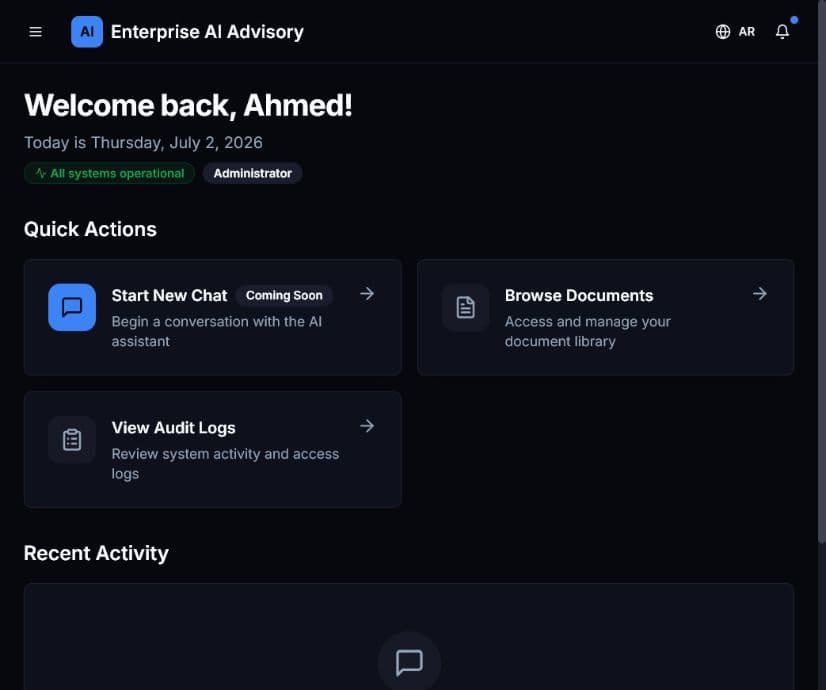
Screenshots were captured from the QA environment on July 2, 2026. Records and totals will differ by environment.