Query Analyzer
Test semantic retrieval and diagnose document matching.
Purpose and access
Query Analyzer helps knowledge managers test how natural-language queries match stored document embeddings without starting an end-user chat.
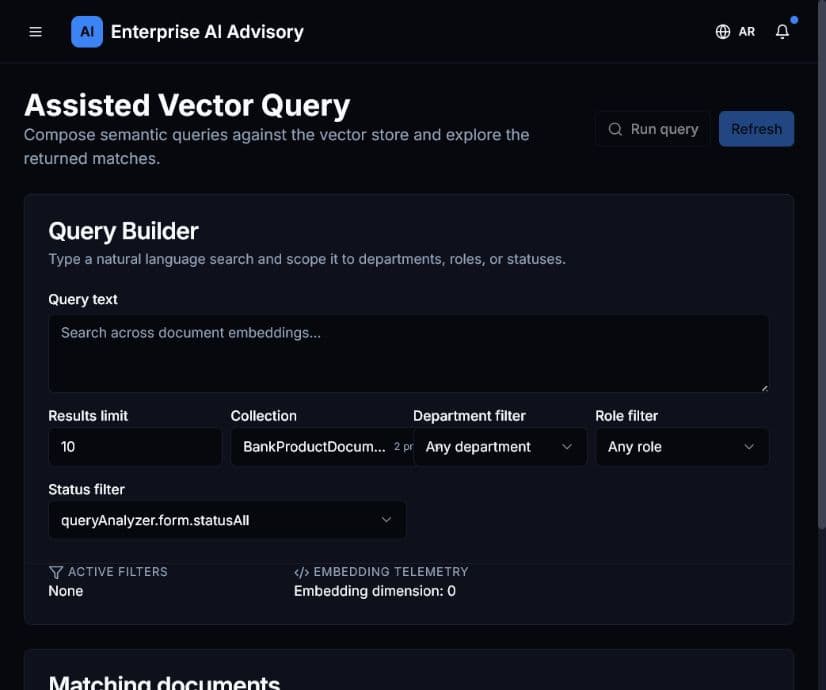
Analyze a query
- Open Query Analyzer.
- Enter a representative user question in Query text.
- Set a practical Results limit.
- Select the collection to search.
- Apply department, role, or status filters when testing a specific audience.
- Select Run query.
- Review the matching documents and retrieval information.
Expected result: Relevant document matches appear in ranked order.
If relevant material is absent, verify the collection, filters, document status, access rules, and indexing state. A match proves retrieval relevance; it does not by itself prove that the source is accurate or current.