Password Reset Requests
Review password requests using an approved identity-verification process.
Purpose and access
Administrators use this page to review submitted reset requests. The screen displays request status, time, approver information, and available details.
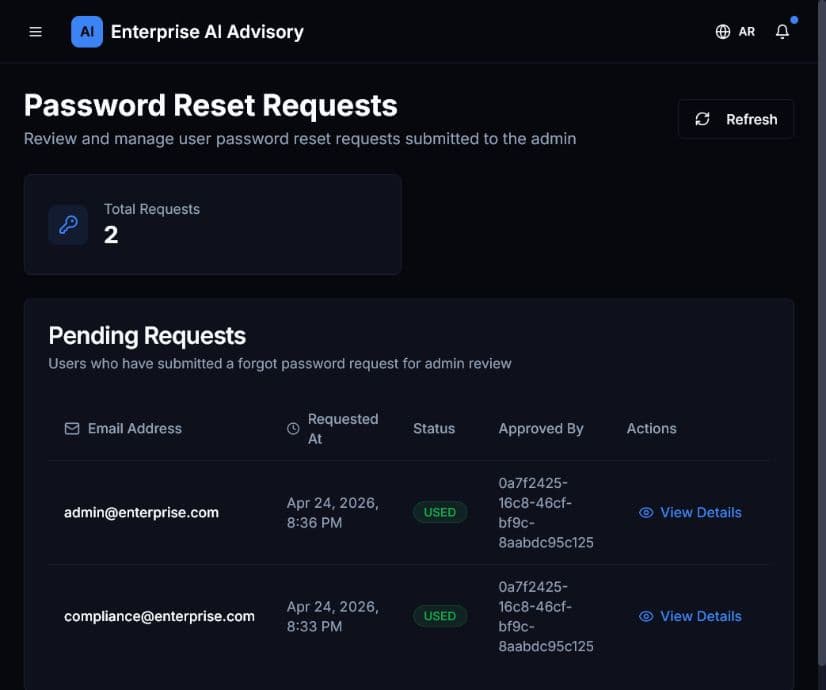
Review a request
- Open Password Reset Requests.
- Confirm the requester’s email, request time, and status.
- Select View Details when further information is needed.
- Verify identity using your organization’s approved out-of-band process.
- Approve or reject according to policy.
- Confirm that the action appears in Audit Logs.
Never ask a requester to send their existing password. Do not approve a request solely because the email address looks familiar.